
The Rename
The Confirmation Dialog
The A Better Finder Rename confirmation dialog shows each file's Quick Look preview, current and new name before renaming. What Stop, Rename and Rename All do.
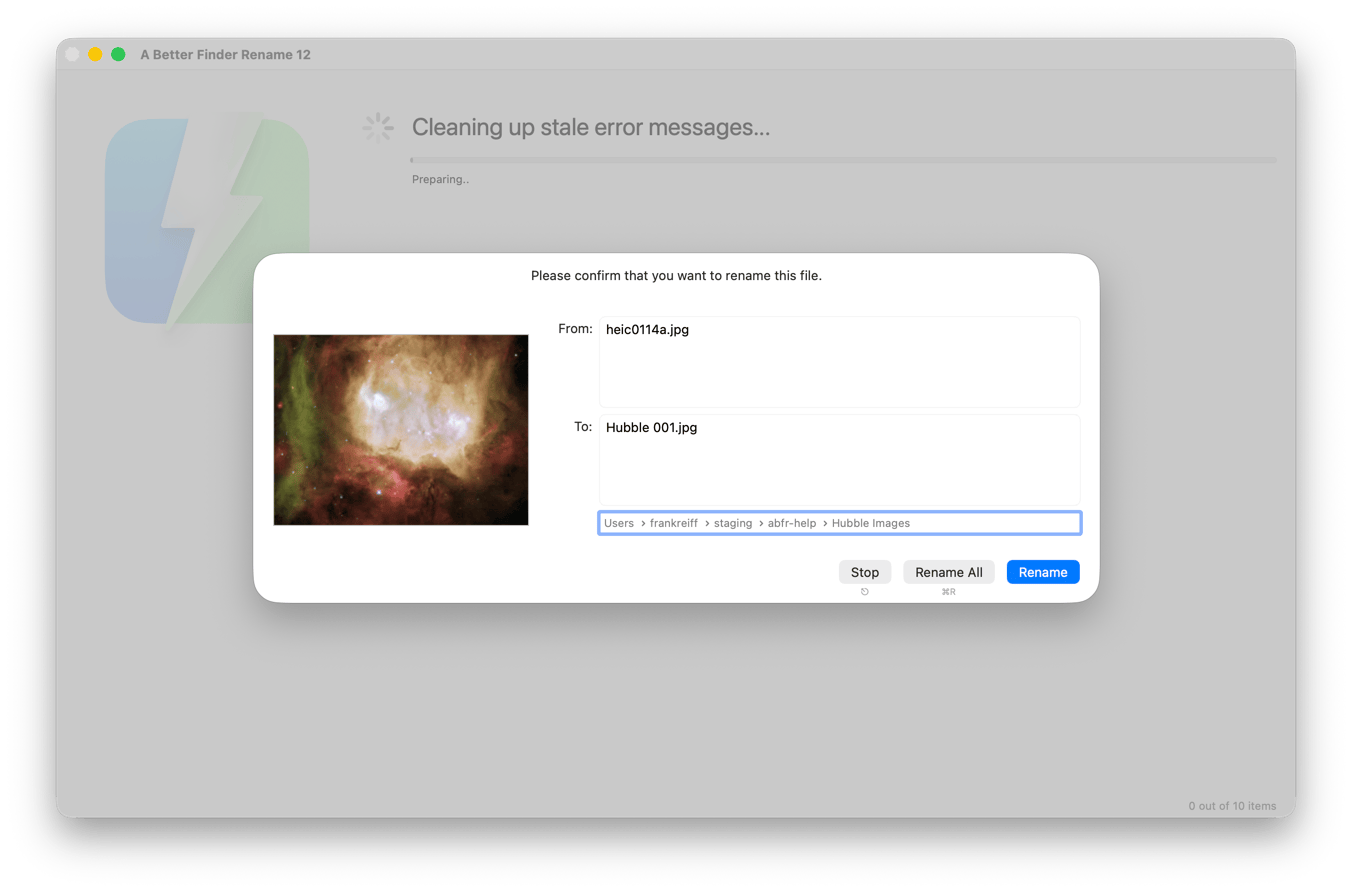
The confirmation dialog appears just before a file is renamed by the program and gives you one last opportunity to check your settings.
On the left side, a preview of the contents of the file is presented. This is generated using the macOS Quick Look feature.
The current file name is displayed in the From: text field and the new file name in the To: text field.
The path selector below the To: field shows you where on the volume this file is located. Clicking on any part of the
path will reveal the enclosing folder in the Finder.
-
Click
Stop(or press theEsckey on your keyboard) to stop the renaming process -
Click
Rename(or press theReturnkey on your keyboard) to change the name of the current file -
Click
Rename All(or pressCommand-Ron your keyboard) to perform all remaining file name changes